
Binaroku vla3.5 - App Store
You'll be able to see results in few seconds.
Publisher Description

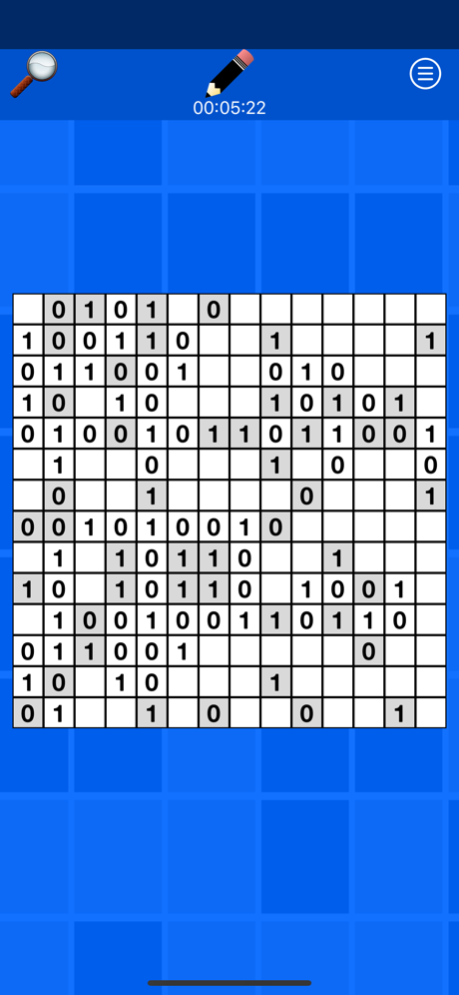


Binaroku is simple logic game that is fun for all ages.
The goal is simple; fill the grid with 1s and 0s following the game rules.
Rule 1. There can be no more than two consecutive 0s or 1s next to each other.
Rule 2. There must be an equal number of 0s and 1s on each column and each row.
Rule 3. No rows and no columns can be identical.
Three levels of difficulty with grids ranging from 4x4 up to 14x14, including rectangular grids. All the grids are randomly generated for a virtually inexhaustible number of puzzles.
Smaller grids are great for younger players or if you just want a quick game. Larger grids will provide a challenge to even the best puzzle solvers.
Grids can be zoomed in and out using a spread and pinch motion to easily complete large grids even on smaller devices.
Sep 19, 2020
Version 3.5
Update to support iOS14
About Binaroku vla
The company that develops Binaroku vla is Vincent Lewis. The latest version released by its developer is 3.5.
To install Binaroku vla on your iOS device, just click the green Continue To App button above to start the installation process. The app is listed on our website since 2020-09-19 and was downloaded 0 times. We have already checked if the download link is safe, however for your own protection we recommend that you scan the downloaded app with your antivirus. Your antivirus may detect the Binaroku vla as malware if the download link is broken.
How to install Binaroku vla on your iOS device:
- Click on the Continue To App button on our website. This will redirect you to the App Store.
- Once the Binaroku vla is shown in the iTunes listing of your iOS device, you can start its download and installation. Tap on the GET button to the right of the app to start downloading it.
- If you are not logged-in the iOS appstore app, you'll be prompted for your your Apple ID and/or password.
- After Binaroku vla is downloaded, you'll see an INSTALL button to the right. Tap on it to start the actual installation of the iOS app.
- Once installation is finished you can tap on the OPEN button to start it. Its icon will also be added to your device home screen.
Program Details
System requirements
Download information
Pricing
Version History
version 3.5
posted on 2020-09-19
Sep 19, 2020 Version 3.5
Update to support iOS14
version 3.4
posted on 2020-06-28
Jun 28, 2020 Version 3.4
Bug fixes and performance improvements.
version 3.3
posted on 2020-04-19
Apr 19, 2020 Version 3.3
Minor fixes
version 3.1
posted on 2020-04-17
Apr 17, 2020 Version 3.1
Fix music turning on without having activated it.
Music and sound effects can be enabled in the menu.
version 3.0
posted on 2020-04-11
Apr 11, 2020 Version 3.0
Update to support new devices
version 2.6
posted on 2019-01-29
Jan 29, 2019 Version 2.6
Minor fixes
Add link to Binaroku²
version 2.1
posted on 2015-04-24
version 3.4
posted on 1970-01-01
28 de jun de 2020 Version 3.4
Bug fixes and performance improvements.
version 3.5
posted on 1970-01-01
19 de set de 2020 Version 3.5
Update to support iOS14
Disclaimer
Official App Store Link
We do not host Binaroku vla on our servers. We did not scan it for viruses, adware, spyware or other type of malware. This app is hosted by Apple and passed their terms and conditions to be listed there. We recommend caution when installing it.
The App Store link for Binaroku vla is provided to you by apps112.com without any warranties, representations or guarantees of any kind, so access it at your own risk.
If you have questions regarding this particular app contact the publisher directly. For questions about the functionalities of apps112.com contact us.
